Home›Headphone Test
Stereo check · pan sweep · one minute

Headphone Test — are both ears working?

A channel check and a moving pan sweep made for headphones: find dead sides, weak seals and cable faults before the return window closes.

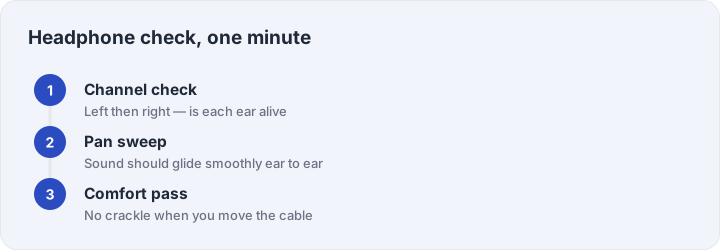
Wear both ears. In channel mode you hear Left, then Right; in pan mode the tone slides from left to right — the marker above shows where the sound is now.

Three steps: channel check, pan sweep, comfort pass

Why headphones need their own test

Headphones fail differently from speakers. The most common fault is a broken conductor inside the cable, usually right where the wire meets the plug — it survives gentle use and cuts out when the plug flexes. The second most common is a lost seal: an earcup that sits even slightly off the ear loses almost all its bass, which people misread as “bad sound quality” when the headphone is fine. This test is designed to expose both within a minute.

Run the channel check first: a steady tone in the left ear, then the right, then both. Both sides should sound equally loud. Then switch to the pan mode, where the tone slides continuously from left to right — the traveling marker above the meter shows where the sound should be at every moment, and any sticking, jumping or one-sided dragging points to a channel imbalance worth returning the unit for.
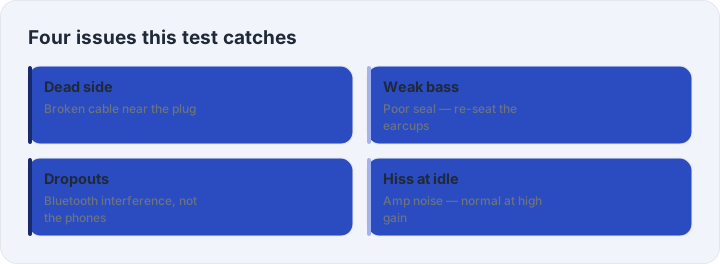
Grid: dead side, weak bass seal, dropouts, idle hiss

Reading the results

One dead side on wired headphones means the cable or plug, almost never the driver. Wiggle the plug during the test: if the side flickers back to life, the wire is broken and the fix is a replaceable cable if your model has one. Weak bass is a fit problem: press the earcups gently against your head during the bass tones on the bass test — if the bass returns when you press, you need a better seal, not new headphones. Dropouts on wireless models are usually interference rather than hardware; our Bluetooth cutting-out guide covers the fixes. A faint hiss at idle is normal amplification noise and not a defect at normal listening levels.

Bought them recently? Walk through the buying checklist before the return window closes — it lists every check worth doing while you still can.

Frequently asked questions

How do I test if my left or right headphone works?

Press start on this page: the test plays the left channel first, then the right. If you hear the first tone on your left and the second on your right, both sides work — if either is silent, that side is dead.

Why does one earpiece sound quieter?

Check your device balance slider first, then clean the headphone mesh — earwax on in-ear tips is the number-one cause of lopsided volume. If balance and mesh are fine, the driver or cable may be failing.

Can I test wireless (Bluetooth) headphones?

Yes — the test plays through whatever your system outputs to. Just remember that with Bluetooth, dropouts can be interference; test distance and re-pairing before blaming the headphones.

What is a pan sweep for?

It slides one tone continuously from the left ear to the right. A healthy stereo pair sounds like a smooth glide; jumps or a stuck side reveal channel imbalance that short beeps can hide.

My headphones sound fine alone but quiet in calls — why?

Call apps often use the hands-free profile with its own microphone and lower quality. Test the mic separately on the microphone test page to see if the headset mic, not the speakers, is the weak link.